Ladies and gentlemen, boys and girls. The moment you've all been
patiently waiting for. This iPhone 4S untethered jailbreak and iPad 2
untethered jailbreak have been released.
Indeed, as we initially told you just a few minutes ago, you can now
download Absinthe and jailbreak your iPhone 4S or iPad 2 untethered.
How to Jailbreak the iPhone 4S or iPad 2 with Absinthe
Step 1: Download, extract, and run Absinthe from links below:
Download:
Step 2: Connect your iPhone 4S or iPad 2 via USB.
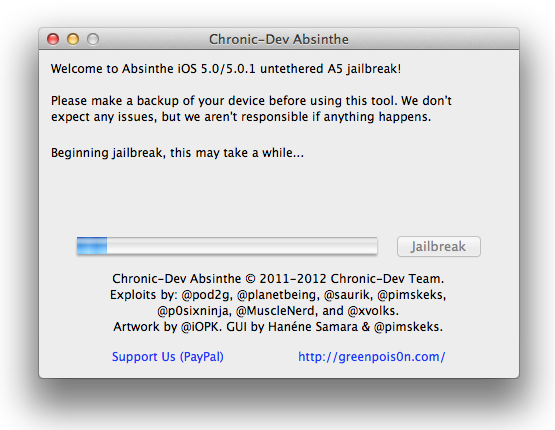
Step 3: Click Jailbreak to run the Absinthe
jailbreak. It will take a while on the beginning portion, and
eventually your iPhone 4S or iPad 2 will look like it's restoring a
backup. It will say Restoring in Progress. This can be pretty
lengthy. Don't worry, it's working. Don't touch your device until
completely finished!
Step 4: Once completed, unlock your iPhone
if necessary, and you should see an Absinthe icon on the Home screen.
You may have to search for it if you have a lot of app icons. Tap the
Absinthe icon, and it should load the GreenPois0n site, and will then
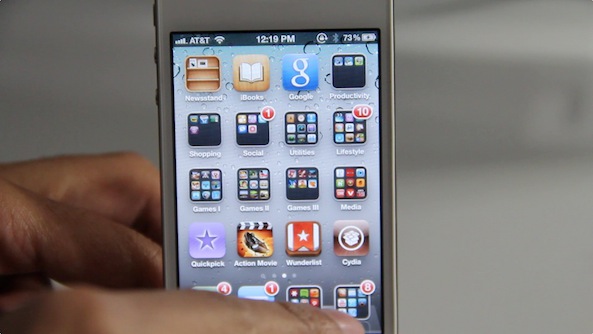
reboot your device. Once it loads back up, the Cydia icon will have
replaced the Absinthe icon.
Step 5: Your iPhone 4S or iPad 2 is now
jailbroken! It took a while, but it was certainly worth the wait. Now
all that?s left to do is load Cydia for the first time, and start
downloading your favorite jailbreak apps and tweaks.
Are you guys happy to finally have an iPhone 4S or iPad 2 untethered
jailbreak for iOS 5.0.1 What's the first jailbreak app or tweak that
you ll download
Update: We have a fix for the Error establishing a database connection